
Note
Note
A local intervention requires knowledge about the data logger or inverter. In this way the data can arrive every 5 minutes.
Local Intervention with Free Data Push
Using Huawei SmartLogger
Step 1: Log in via the WebUI by navigating to the IP address:
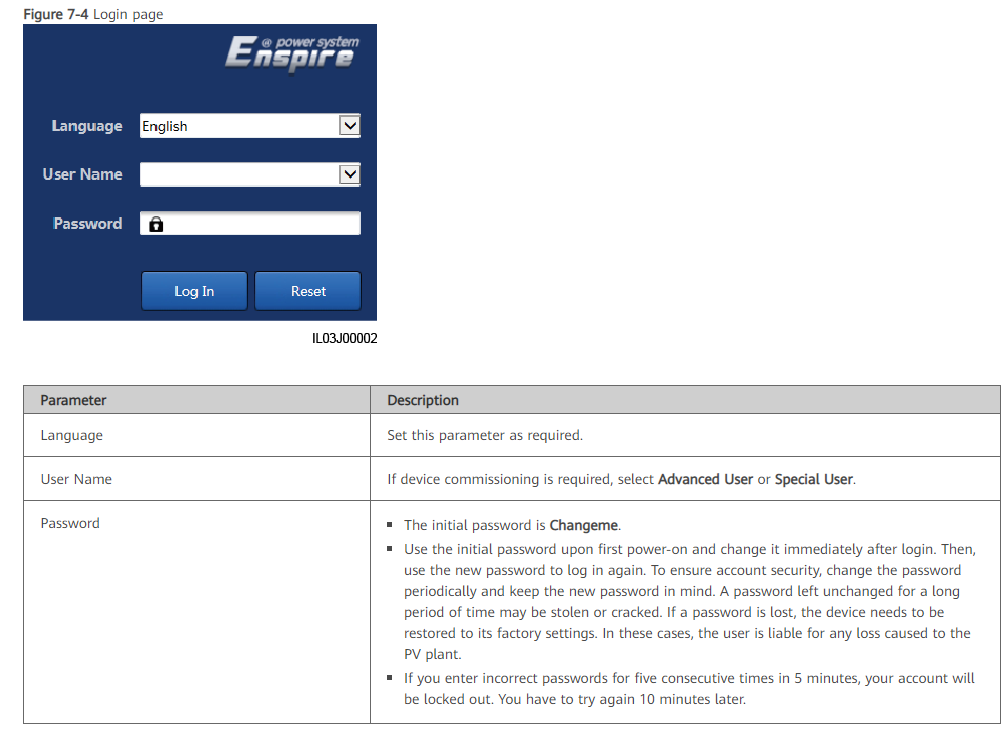
The smartlogger can export CSV-files via FTP. These CSV-files contain production and configuration data.
To send this data, go to "Settings":
Example:
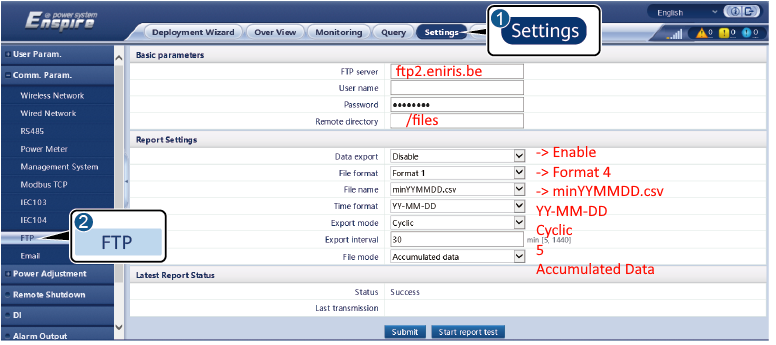
And enter the following information:
- FTP server:
ftp2.eniris.be - Username & Password (we will send you this by email)
- Remote directory:
/files - Data export: enable
- File format: Format 4
- Filename: minYYMMDD.csv
- Time format: YY-MM-DD
- Export mode: cycle
- Export interval: 5 or more
- File mode: Accumulated
Caution
Caution
Note > Port 21 must not be blocked within the network.
Last updated March 11, 2026Edit this page