
Setting up Scholt
Supported Devices
| Device Type | Variants | Supported |
|---|---|---|
| Solar Inverters | All | ⌛ (coming soon) |
| Storage Devices | ✅ | |
| EV Chargers | ❌ |
Supported Countries
| Country | Supported |
|---|---|
| Belgium | ✅ |
| Netherlands |
Notifying Scholt
Scholt will require information about the SmartgridOne Controller before they can control any assets.
This includes the SmartgridOne Controller Serial Number, and the SiteID, which is the same as the Serial Number with '_site_0' appended at the end.
Add 'Scholt' External Signal
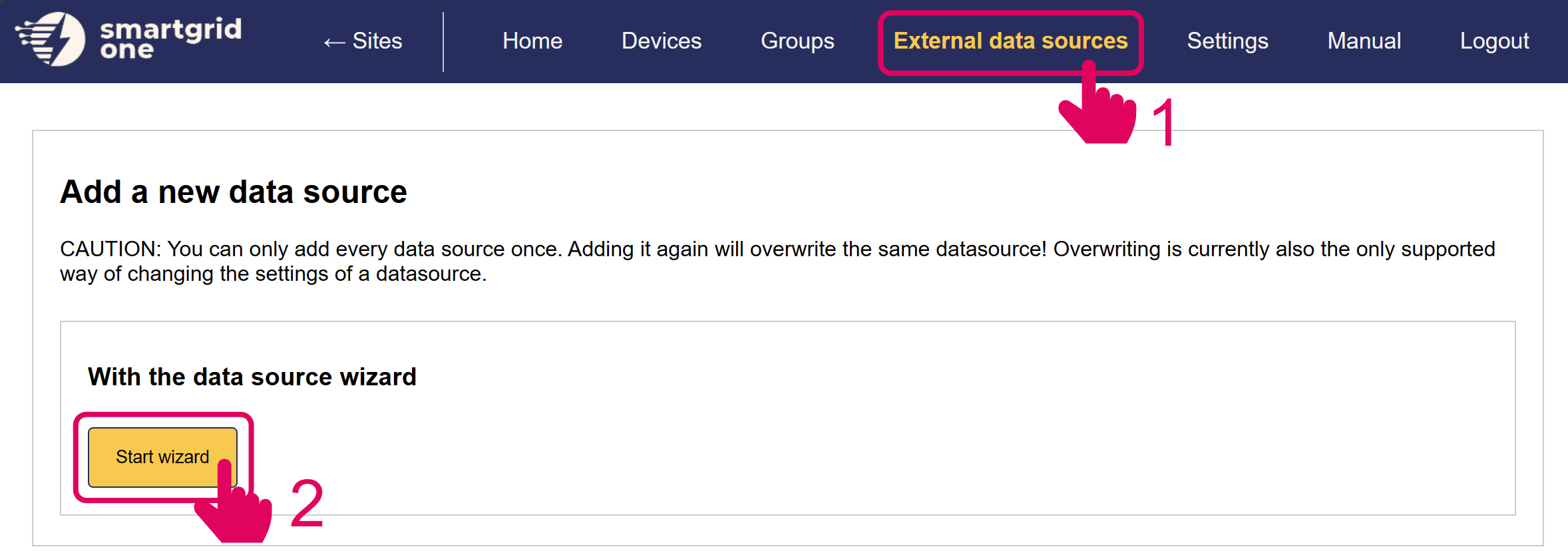
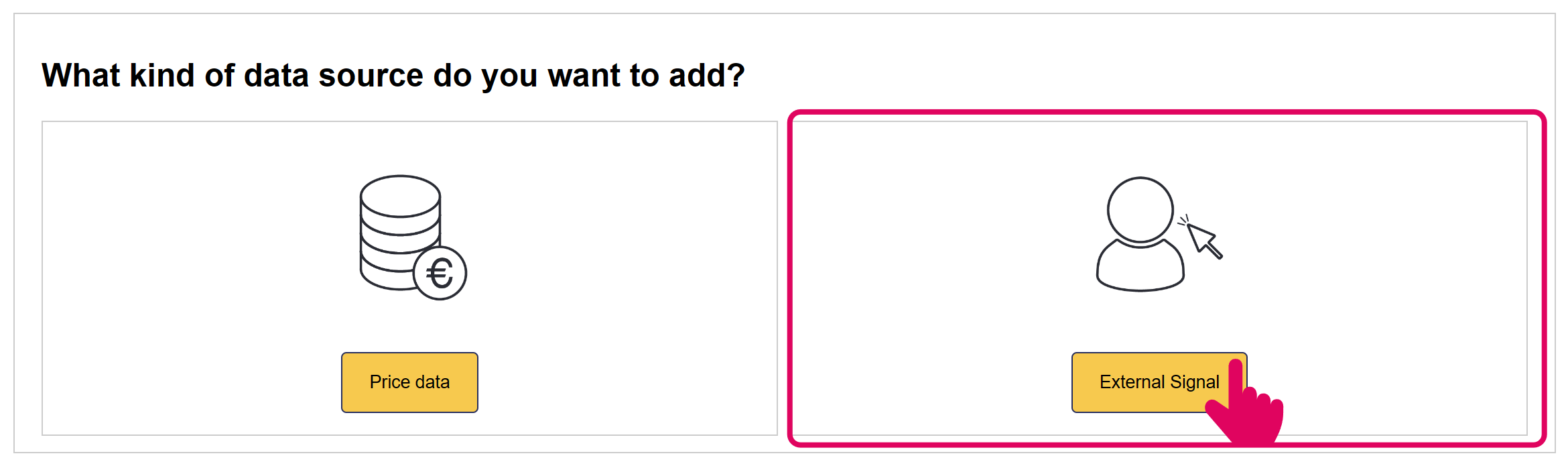
In the next page, you have the option to include/exclude devices for remote control. Ensure to mark all checkboxes of devices you'd like to include.
Note
When using multiple batteries, they are aggregated into one (virtual) asset.
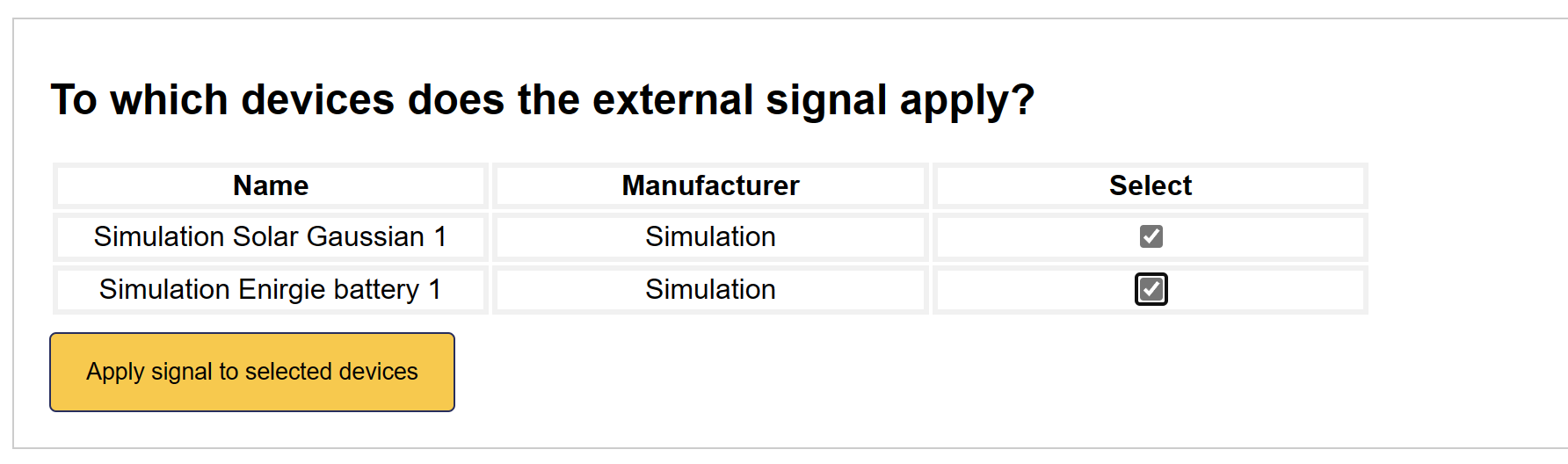
'Scholt' is now set up on the SmartgridOne Controller.
Tip
When Scholt External Control is added, the SmartgridOne Controller algorithm has no control over the battery's behaviour.
Control Modes
Scholt can send three different control strategies, based on the energy markets.
-
Charging/Discharging on Imbalance Costs- When imbalance prices are favourable, Scholt will instruct the batteries to charge/discharge at maximum capacity.
-
Idle- Scholt can instruct the battery to be idle (Setpoint zero).
-
Self-Consumption- Scholt can instruct the battery to follow an adapted self-consumption algorithm, usign excess PV power to charge the battery. This differs from normal self-consumption, as the battery will not discharge to on-site consumption. The battery will charge as usual using excess PV power, and it will not charge from the grid. However, unlike with a normal self-consumption strategy, the battery will not discharge when we are importing power from the grid. Instead, it will only discharge when we are importing from the grid at our power limit, in order to prevent exceeding the grid limits.
Default Fallback
If no signal is received from Scholt, the batteries will fall back to a local peak-shaving algorithm.